Learn how to create and manage projects so you can start planning.
Add a Project
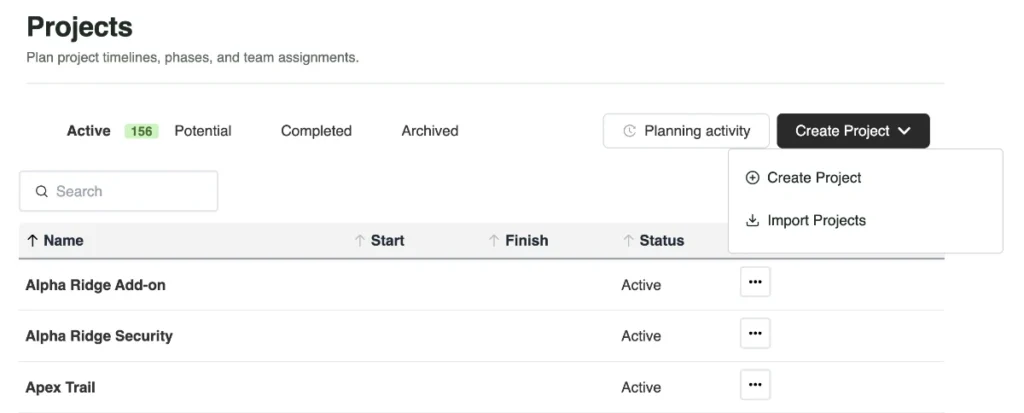
Go to Projects→Create Project.
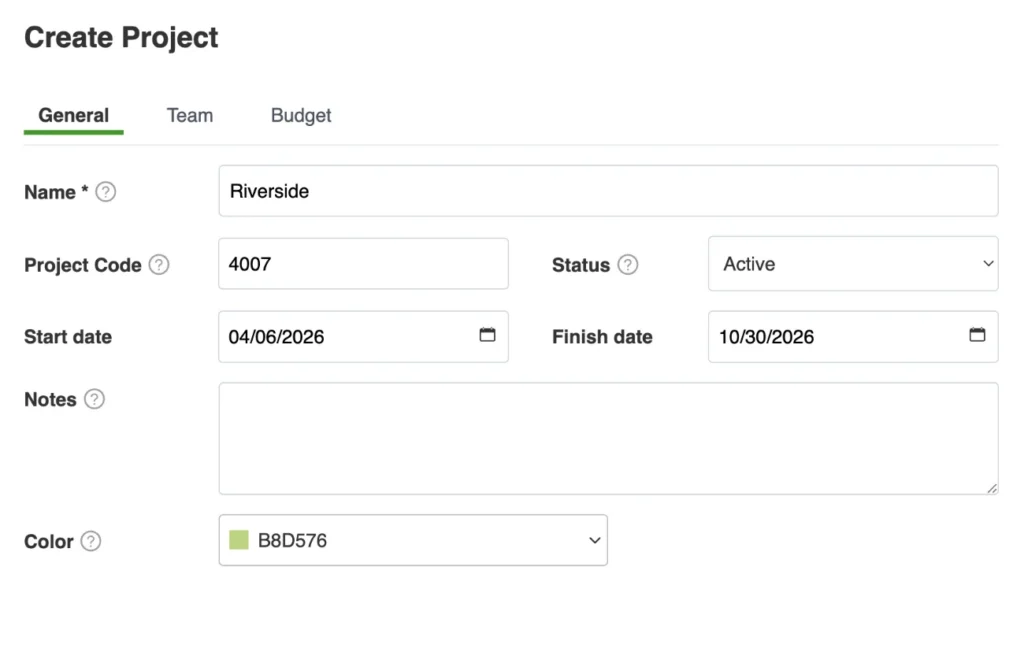
Enter a project name. The other fields are optional.
When you set start and finish dates, the project timeframe is highlighted in Project View in the selected color.
Assign Team Members
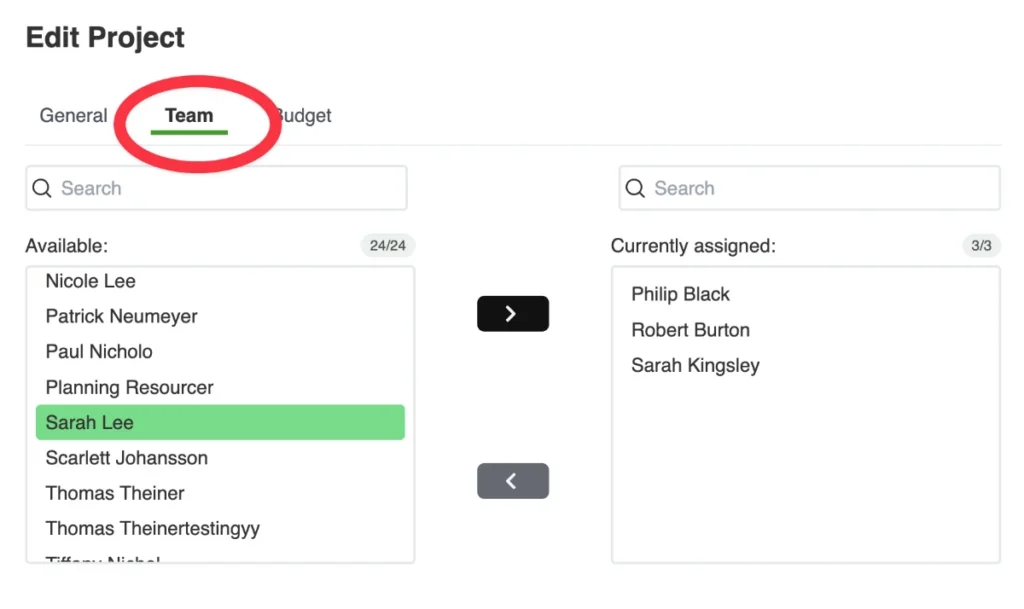
Open the Team tab in the project details to build the project team.
Use the < and > buttons to add or remove team members.
Uploading Projects From a Spreadsheet
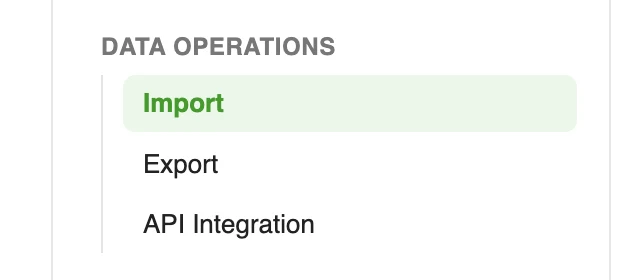
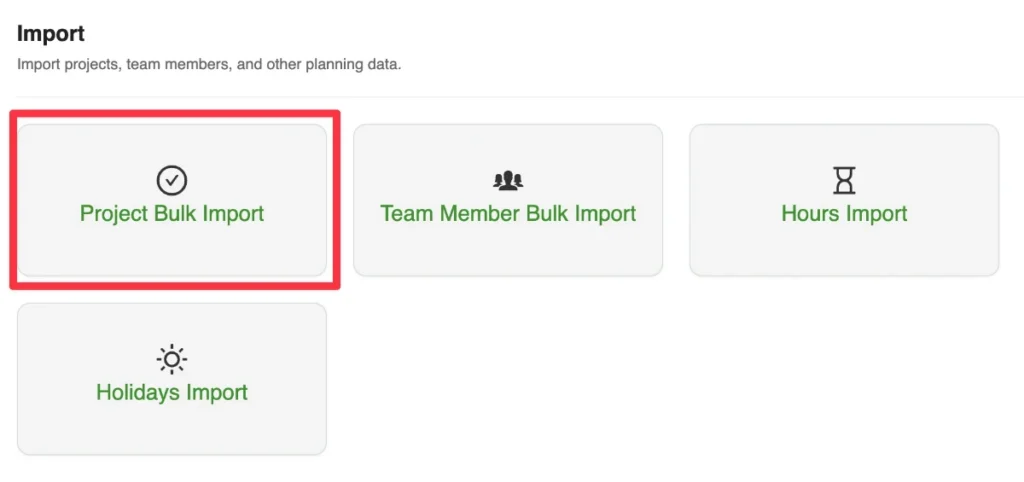
Use the import wizard in the Settings menu to upload projects from a spreadsheet.
This creates the project master data in Caperity, but does not include any hours. To import hours, use the hours import wizard.
Archiving Projects
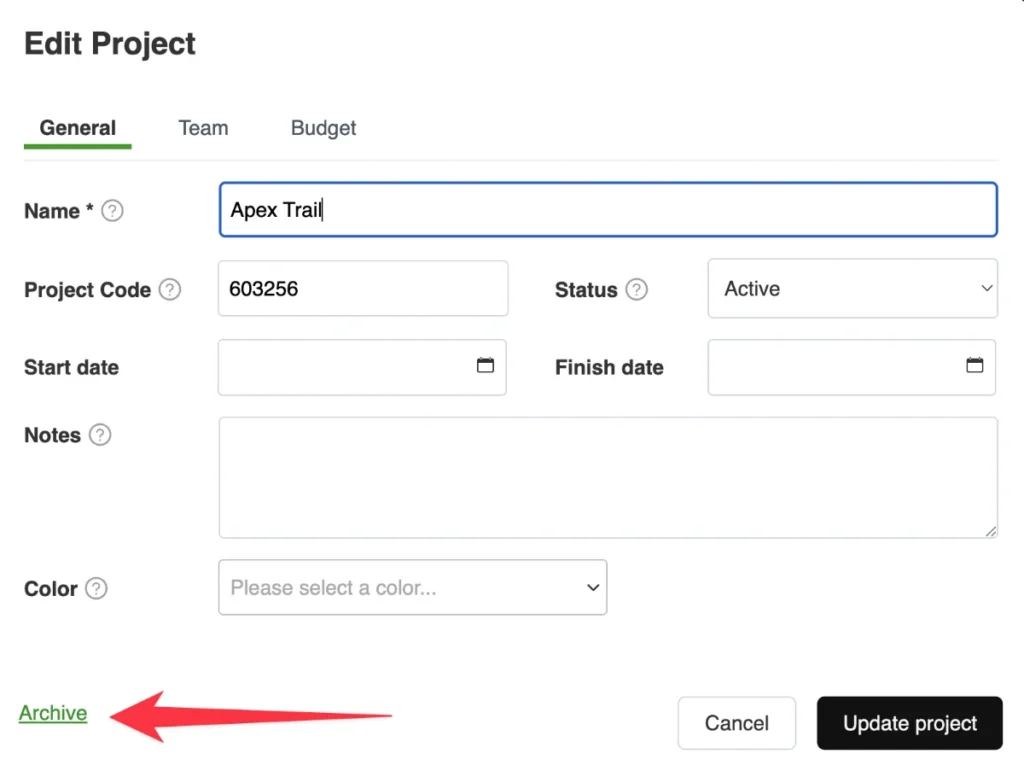
Completed or canceled projects can be archived to remove them from planning views. All planning data is retained, and archived projects can be restored at any time.
To archive a project, click on Archive inside the Edit Project dialog: