Caperity
Caperity lets you add project milestones so they will be shown on the main planning views.
This makes it easier to align resource needs with delivery dates.
Learn how to set up milestones with a few clicks.
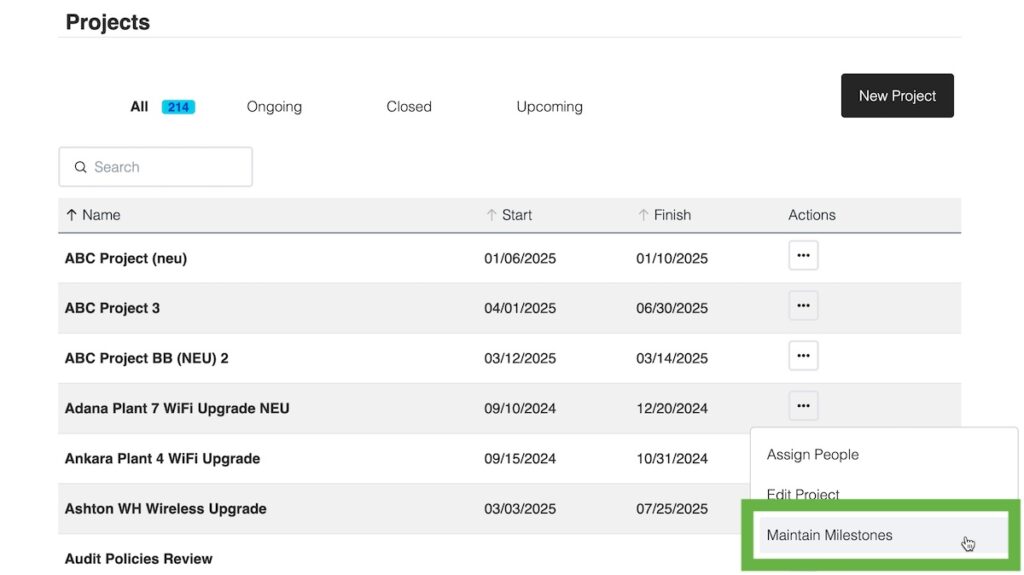
Go to the action menu for the project, and choose Maintain Milestones:
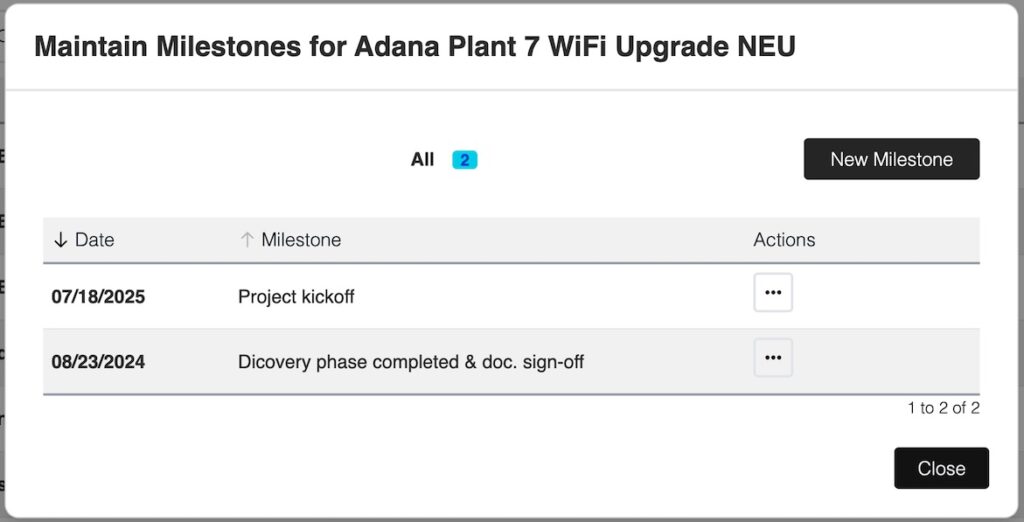
In the dialog window, you can add, modify or delete milestones for your project.
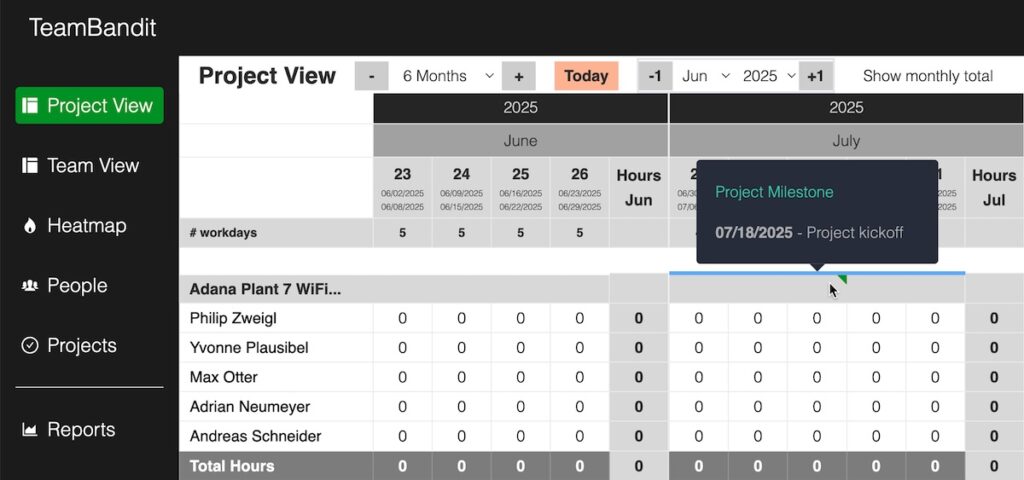
In the Project View, milestones are shown as green triangles in the project header row.
Hover over a triangle to see the milestone’s name and date.