Caperity allows you to enter your local holidays, so they will be taken into account for determining team capacity.
Follow this guide to learn how to add holidays.
Open Organization Settings
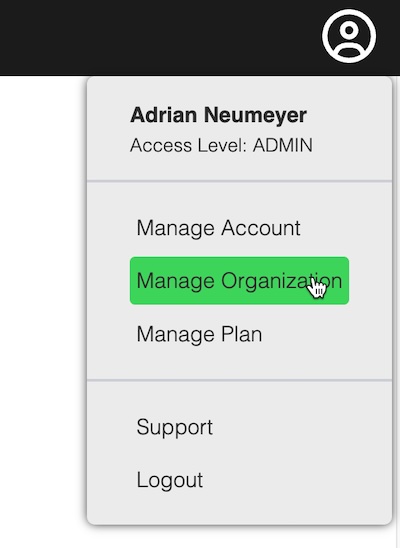
Choose Manage Organization from the account menu on the right.
Not seeing this option? Modifying organizational settings and maintaining holidays requires Admin permissions. Ask a coworker with Admin rights to maintain holidays.
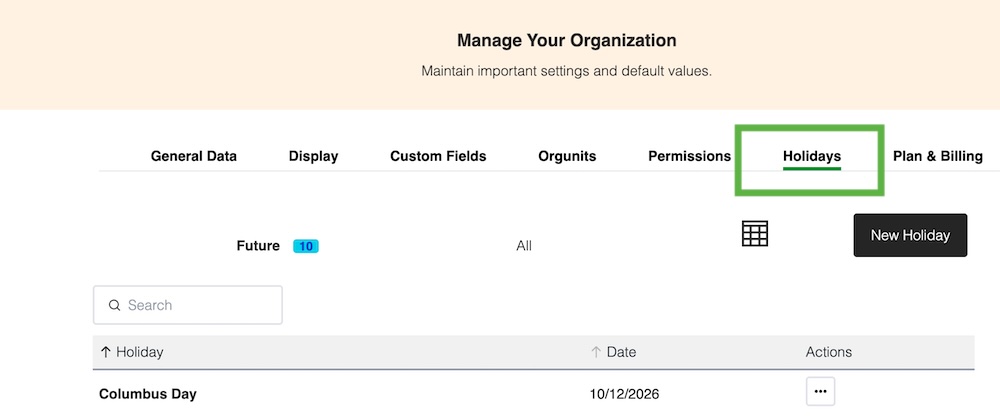
Click on the Holidays tab:
Add your holidays
Add your holidays via the New Holiday button.
In the example, we have added Columbus Day, which falls on Monday October 12th.
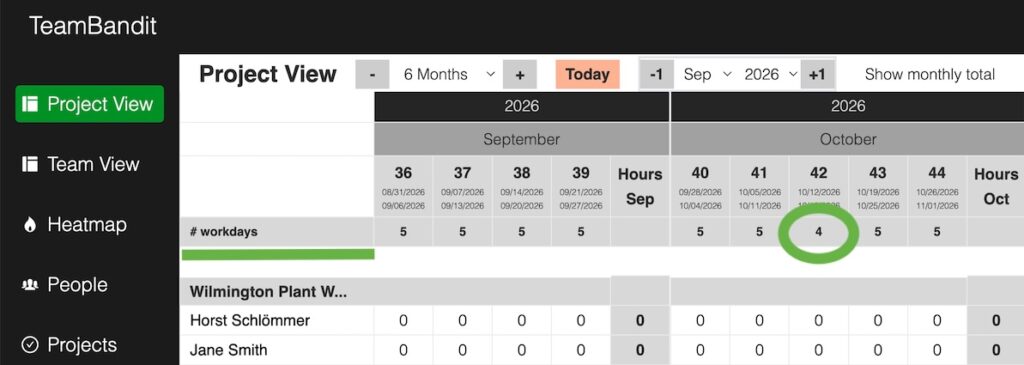
Now go to the Project View or Team View:
One day has been deducted from the number of working days.
You should see the number of working days adjusted accordingly for the given week.