< Back

5 Best Tools for Team Utilization Tracking Across Projects (2026)

Leadership in service-based businesses always wants to know one thing: are our people busy enough? A well-utilized team covers its costs and keeps the business healthy.

The challenge is having a reliable number every month — across all projects, always current — when plans change constantly.

We have done the hard work for you and evaluated the best tools for team utilization tracking, including their features, pros, and cons, to help you find one that fits your way of working.

Top Tools For Utilization Tracking

Float
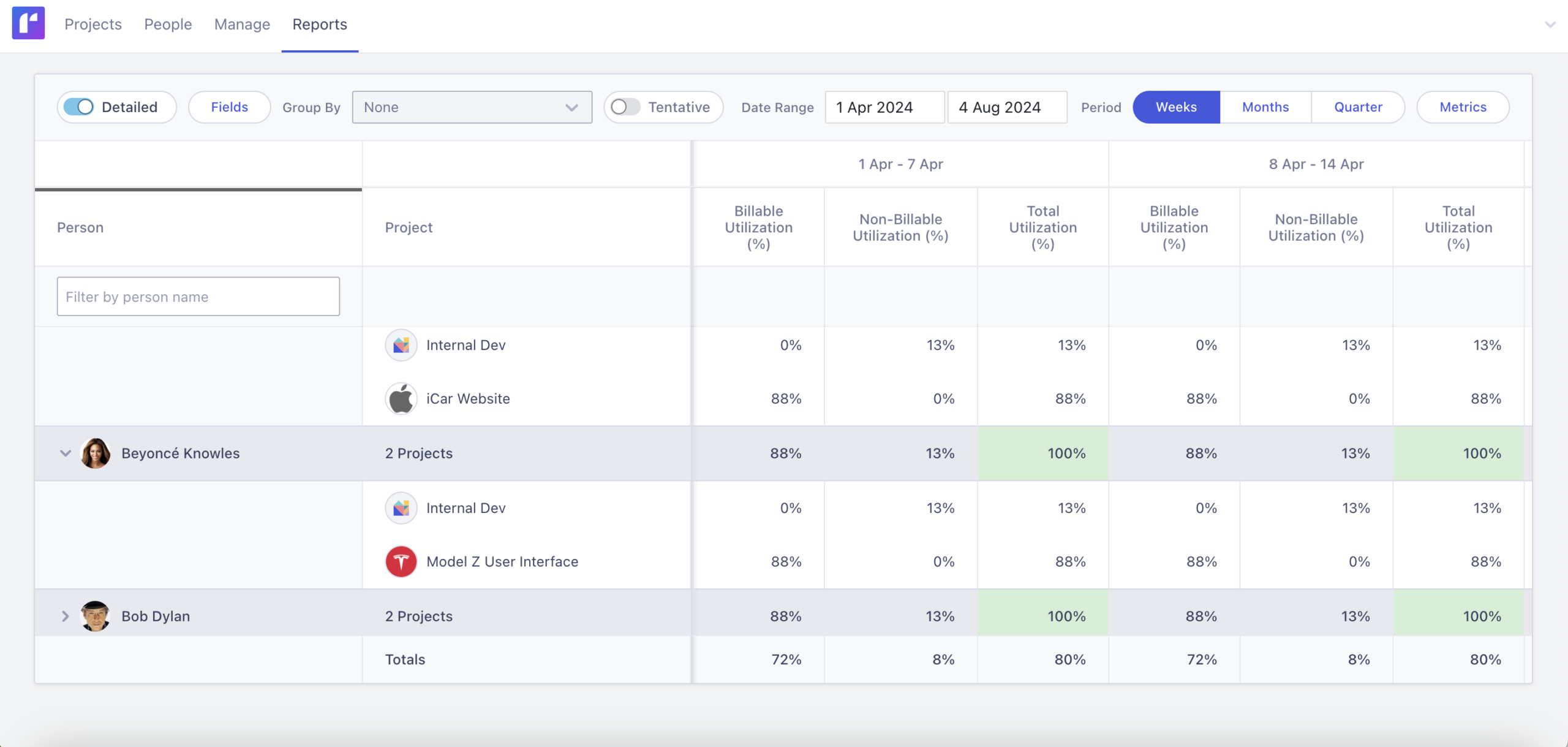
Float is a resource planning software that supports team utilization tracking.

Source: Float

Float is a resource planning platform that has gained popularity in the creative and consulting space, because it combines project management, time-tracking and billing in one platform.

Float tracks utilization in real time as allocations are updated

It is a strong choice for teams that need resource planning and time tracking for billing in one tool.

Key Features:

  • Utilization view: View per-person utilization for a selected period
  • Capacity planning: See who has availability and when based on current allocations and scheduled time off.
  • Planned vs actual: Compare planned hours against time logged to identify where estimates consistently miss, helping improve future planning accuracy.
  • Integrations: Plenty of integration options tools like Asana or Jira and calendar applications including Outlook.

Pros:

  • Clean user interface
  • Utilization metrics update in real time
  • Time tracking and billing included

Cons:

  • No time-series view of utilization
  • Utilization color coding cannot be customized
  • Higher setup effort

Pricing:

  • Starter plan from $7 per person per month
  • Pro plan from $12 per person per month

Caperity

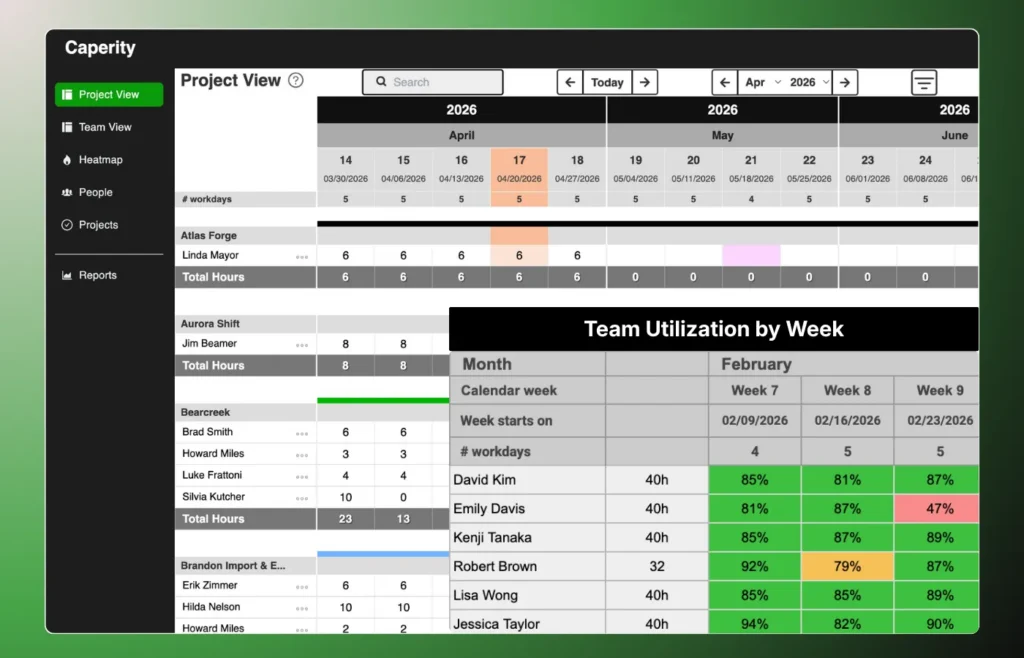
Caperity is a lightweight resource planning software for teams that need quick visibility on team utilization and workload.

Caperity is a lightweight resource capacity planner for project-driven teams.

Unlike most resource planning tools that work with fixed weekly allocations, Caperity lets you enter hours freely in a simple planning grid – similar to Excel. This reduces the effort of updating allocations as plans change.

Caperity is a pragmatic option for teams that want a simple visual overview of utilization across the team — without the overhead of a full project management platform.

Key features:

  • Planning grid: Spreadsheet-like interface for entering hours
  • Weekly and daily planning: Teams that prefer a lower-maintenance approach can plan at weekly level rather than planning by day.
  • Utilization view: Shows team member utilization rate by week or month
  • Team workload view: Shows planned hours broken down by project for every person

Pros:

  • Time-series view of utilization (weeks and months)
  • Utilization color-coding fully customizable
  • Leave and working schedules factored in automatically
  • Quick setup

Cons:

  • No time tracking or invoicing
  • Focused on resource planning only — not a full project management tool

Pricing:

  • Free trial available
  • Paid plans based on team size

Runn

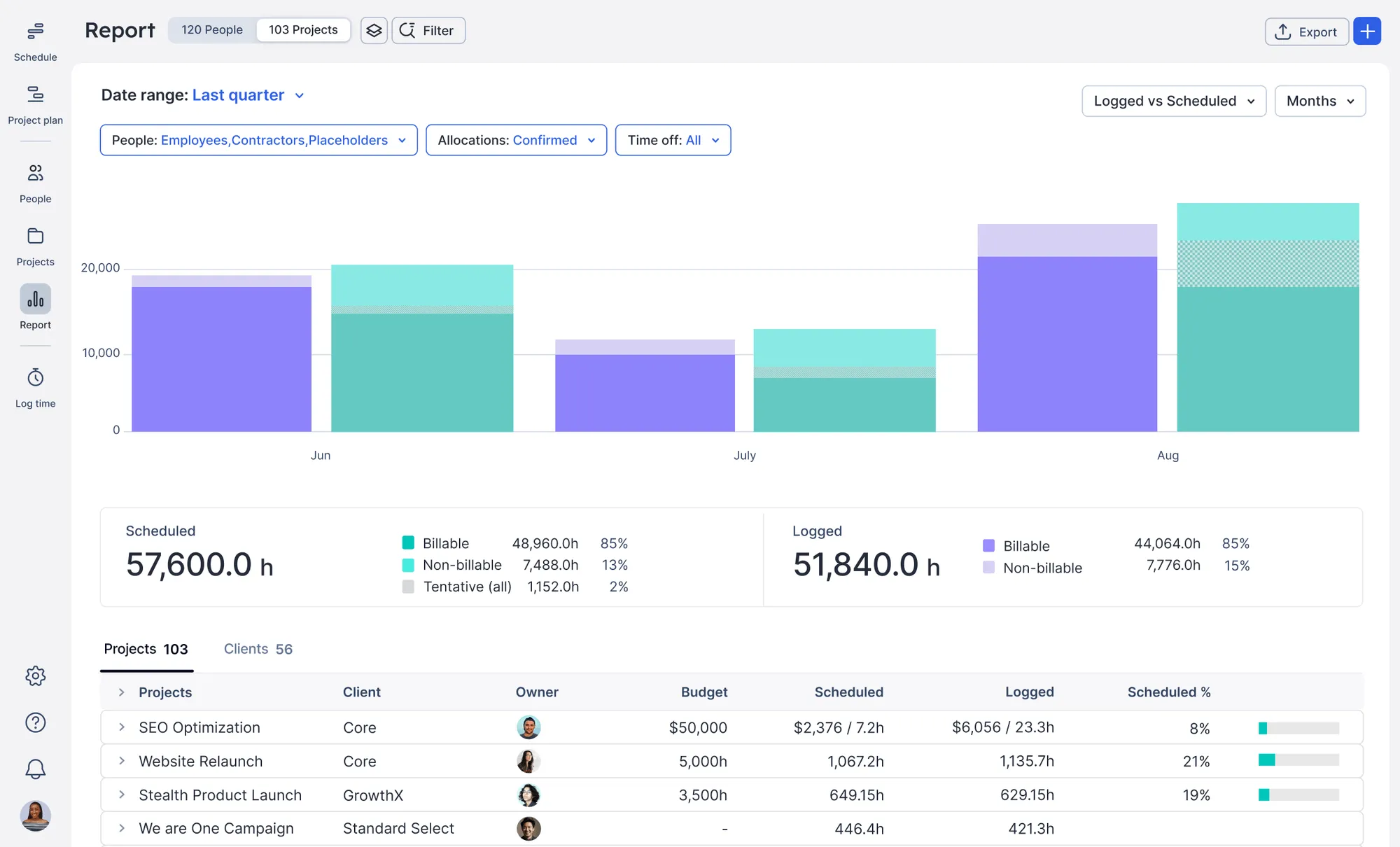
Source: Runn

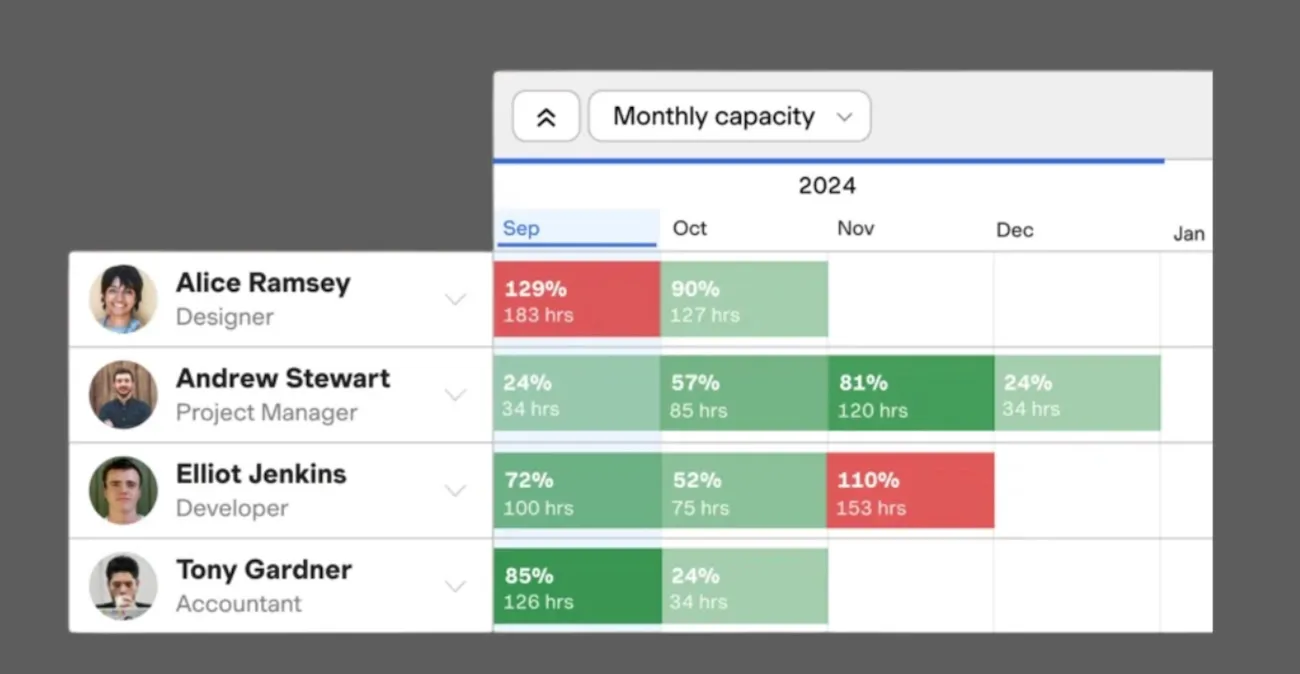
Runn describes itself as a strategic resource management tool, but under the hood it’s very similar to Float — focused on resource allocation and project profitability.

Allocations are entered by dragging bars across a timeline, assigning a fixed number of hours per day per person. Utilization is calculated from these fixed assignments.

Key Features:

  • Utilization dashboard: Real-time utilization by person, team, or role, with a toggle between planned and actual figures.
  • Capacity forecasting: Projects utilization weeks or months ahead based on current allocations and upcoming work.
  • Financial tracking: Budget versus actual spend per project, with support for different billing rates across roles.

Pros:

  • Strong forecasting that shows future utilization trends
  • Show total utilization and billable utilization per team member
  • Financial tracking built in alongside resource planning

Cons:

  • More complex to set up than purely capacity-focused tools
  • Some features may be unnecessary for teams that just need need basic workload visibility

Pricing:

  • Free plan for small teams
  • Pro plan from $11 per person per month

Harvest + Forecast

Harvest and Forecast are two separate tools working together. They combine time-tracking and resource planning.

Harvest and Forecast are two separate tools by the same company, designed to work together.

Forecast handles resource planning, and Harvest does time tracking. Team members log actual hours, which feed into utilization reporting.

Used in combination, they connect planning to actual hours worked, making it easy to compare estimates against actuals.

Key Features:

  • Resource scheduling (Forecast): Assign team members across a visual timeline.
  • Overbooking is flagged automatically.
  • Utilization reporting (Harvest): Calculated from logged hours against each person’s available capacity.
  • Planned vs actual: Scheduled hours compared against time actually worked — useful for improving future estimates.
  • Project budgets (Harvest): Track time and costs against budgets in real time, with alerts when limits are approaching.

Pros:

  • Combines planning and time tracking in one workflow
  • Flexible utilization reporting
  • Simple interfaces with a low learning curve

Cons:

  • Requires subscribing to two separate tools
  • Depends on consistent time entry across the team
  • Less suited to teams that want planned utilization without time tracking

Pricing:

  • Harvest: free for 1 user, Pro from $11 per seat per month
  • Forecast: from $10 per month for up to 5 people

Smartsheet

Smartsheet is a work management platform used across consulting and IT delivery.

Utilization tracking in Smartsheet is part of the Resource Management add-on, available on Business and Enterprise plans only.

It does not include a dedicated utilization view by default, but it can be configured to track resource allocation and utilization using its formula and reporting features.

Key features:

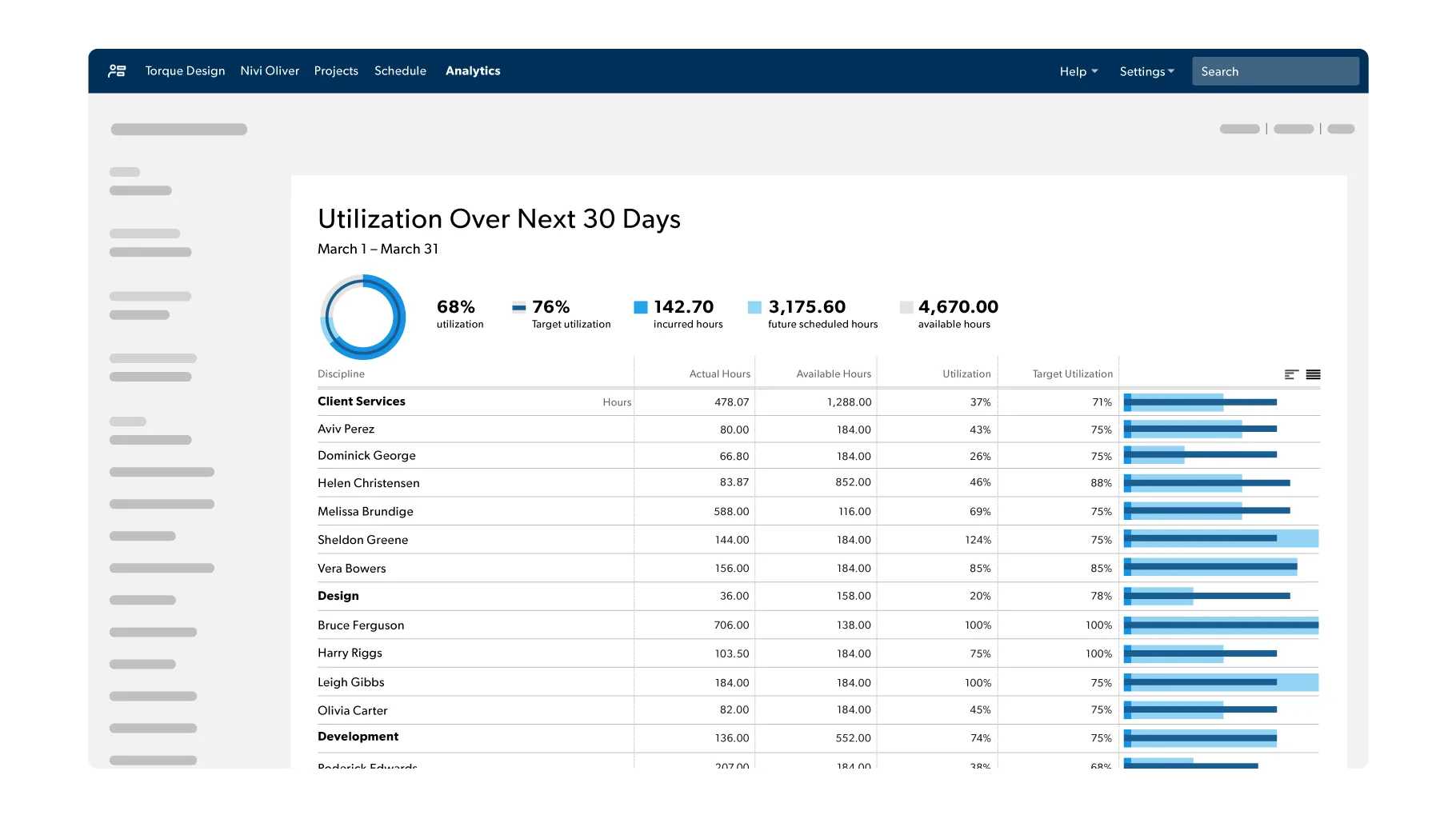
  • Utilization reporting: Shows utilization per person as actual hours divided by available hours. Covers both historical and forecasted utilization in the same view.
  • Target utilization: A target rate can be set per person. The report shows actual versus target, making it easy to see who is consistently above or below expectations.
  • Advanced reports: Automatically generates high and low utilization reports plus a summary dashboard. Requires Business or Enterprise plan with Smartsheet authentication enabled.
  • Filters: Filter by project type, department, or individual to focus on a specific team or portfolio.

Pros:

  • Familiar spreadsheet-like interface — low adoption barrier for existing users
  • Highly configurable for teams with specific reporting requirements
  • Wide integration ecosystem for teams with complex tool stacks

Cons:

  • Utilization reporting requires Resource Management add-on — not included in standard plans
  • Typically requires an experienced Smartsheet user to set up correctly

Final Thoughts

The right tool depends on what you need beyond utilization tracking.

If you need resource planning and time tracking for billing in one platform, Float and Runn are strong choices. Runn has stronger forecasting and financial tracking. If accurate time records and forward-looking scheduling is important, Harvest and Forecast work well together.

If you are in a large organization that needs workforce management across departments, Smartsheet provides the depth required — but expect significant setup overhead.

If you want a simple, visual overview of your team’s utilization without the complexity of a full project management platform, Caperity is worth a look.

Don’t forget to check out our other guides:

Author

  • Adrian Neumeyer is the founder of Caperity, a lightweight software for project capacity planning and resource management.

    Adrian Neumeyer has spent over a decade in project delivery, leading high-stakes strategic IT initiatives for major global engineering firms like Bosch and HILTI. He is also the Founder of Caperity, focused on giving managers a simple, practical solution for project capacity planning.

    View all posts

ON THIS PAGE

Get the full picture of your team's workload

See how the tool works