Capacity Planning: Rollout Challenges and How to Deal With Them
Organizations have sorted out most of their processes, but capacity planning is often the exception.
It’s the 900-pound gorilla in the room. Everyone feels it, teams are overloaded and projects compete for the same people. But there is no reliable view of team availability.
People agree this needs to be fixed. But in practice, capacity planning either never gets implemented properly or breaks down after a few months.
In this article, we cover the main obstacles to capacity planning — and how to overcome them.
1. Resistance to structure and visibility
This is very common in larger or more established organizations.
Capacity planning requires structure, and structure creates visibility. That is exactly where the resistance comes in.
People are hesitant to agree on a shared way of planning. You will hear things like “our team is different” or “we need our own way of working.” On the surface, this sounds reasonable. But in reality, it often means that teams want to keep doing things their own way.
There is also a more human side to this: Capacity planning makes work more transparent. It shows where there is unused capacity and where planning isn’t done properly. Not every manager is comfortable with that level of visibility.
The result? Planning stays fragmented. Without a shared view, teams have to check availability manually, spend time aligning and still run into surprises.
People already see the value of capacity planning, but it won’t happen without leadership pushing it forward.
How to fix it?
This is first and foremost a leadership problem. Without clear direction, nothing changes.
Some practical tips:
Define a simple, shared structure: same format across teams
Make it a leadership initiative: not optional, not “nice to have”
Assign ownership: one person or role responsible for it
Set a timeline: when it should be in place
Capacity planning only works if it is done consistently across teams.
2. Overcomplicating the setup
Capacity planning is simple at its core:
You want to see who works on what, how much time they have, and when they are available.
But many organizations overcomplicate it. More people get involved, requirements grow, and teams shift focus from solving the actual problem to building a “perfect” system.
They compare tools, align on requirements, and discuss workflows. In the end, they either implement nothing or build something too heavy to maintain. People stop updating it, data becomes outdated, and the entire initiative slowly falls apart.
How to fix it?
Keep the setup simple: Use a spreadsheet or lightweight tool. Track only people, availability and workload. If updates take more than a few minutes, it’s too complex.
Focus on the basics: Start with one question: do we have enough capacity? Skip detailed tasks, costs, and extra fields early on.
Define the process before the tool: Decide how you plan (e.g. weekly, hours or %), then choose a tool that supports it.
Start simple, then improve: Plan at team or role level if needed, assign ownership, and set a weekly update routine. Add more detail later once it works.
3. Tools introduce unnecessary complexity
Another common reason capacity planning fails is the tools themselves.
Many resource management and project management tools are very complex. They come with a wide range of features and configuration options.
But in practice, that often becomes a problem:
Setting them up takes time. Keeping them updated takes even more time. And using them requires effort that teams don’t always have.
What usually happens is predictable. A tool is introduced and the initial stage looks promising. But after a few weeks, usage drops and people stop updating their data.
At that point, capacity planning turns into an additional burden instead of something that helps.
The core issue is not the idea of capacity planning. It’s the complexity of how it is implemented.
How to fix it?
Choose tools that are easy to use: No long onboarding. Teams should be able to start quickly without weeks for training.
Keep planning simple: Avoid tools that require day-by-day planning. Weekly planning or simple allocations (hours or %) are usually enough.
Make updates quick and easy: People should be able to update their workload in a few clicks. If it feels like admin work, they won’t do it.
Focus on visibility, not features: The goal is a clear view of workload and availability. Fast setup and low maintenance matter more than feature depth.
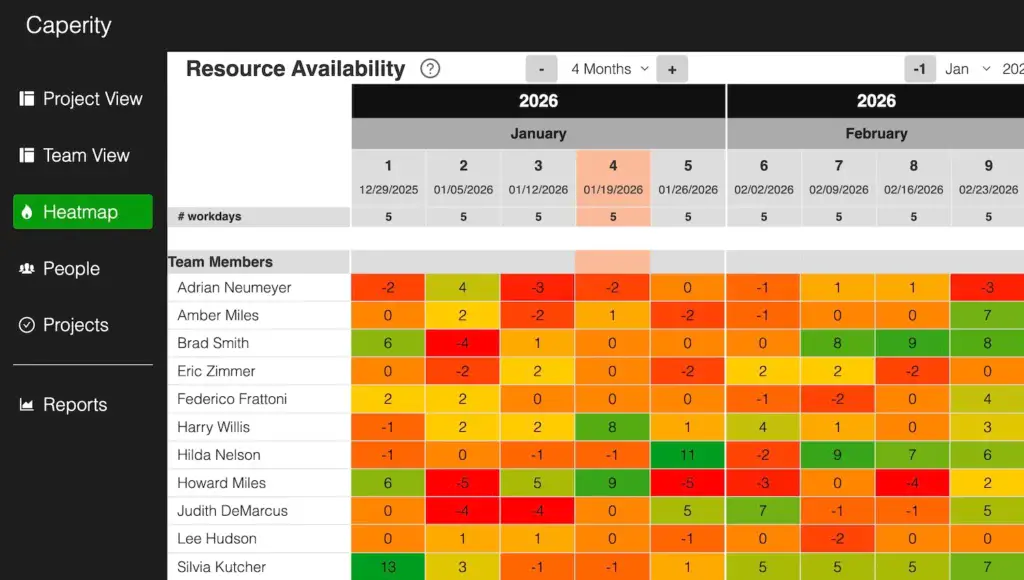
Use simple views that are easy to set up and give a clear picture of availability.
4. Using tools that don’t show the full picture
Another common issue is relying on in-house tools for something they weren’t built for.
Teams use what they already have, like Microsoft Planner, Jira or other project management tools. These work well for project-level capacity tracking, but they tell the whole story.
You don’t see total workload across projects, how availability changes over time, or how absences and holidays affect availability. Planning happens on partial information.
This works fine for a while, but then reality hits. Someone goes on vacation. A holiday reduces capacity. Projects peak at the same time. And suddenly, teams run into crunchtime.
The issue is not the plan. It’s the lack of visibility.
How to fix it?
Use tools that are built for capacity planning: Make sure the tool can show workload across people, projects and time — not just tasks.
Bring all work into one view: Include project work, internal tasks, meetings, and support work. Otherwise, capacity will always look higher than it actually is.
Include absences and holidays from the start: Time off should be part of the plan, not something you adjust for later.
Final thoughts
Capacity planning is one of the best ways to keep delivery running smoothly. It helps you see workload, avoid overload, and make better decisions. And it’s not hard to set up.
What makes it difficult are the surrounding challenges. Leadership needs to ask for it and push it forward. Teams need to agree on a simple way of planning. And the setup needs to stay simple so people actually use it.
Keep it simple, assign someone to own it, and make it part of your regular planning. Start with the basics, focus on visibility, and improve over time. That’s enough to make it work.
Adrian Neumeyer has spent over a decade in project delivery, leading high-stakes strategic IT initiatives for major global engineering firms like Bosch and HILTI. He is also the Founder of Caperity, focused on giving managers a simple, practical solution for project capacity planning.