Are you exploring planning tools but aren’t sure which one to choose?
With a market worth $6 billion, there are a lot of tools to choose from. Each comes with an impressive list of features, which makes it harder to figure out what you actually need.
Float and Teamwork are two popular solutions. They look similar, but serve different needs. Float focuses on visual scheduling of people. Teamwork combines project management with resource planning, adding more structure.
The right choice depends on your needs:
Do you want comprehensive resource management or quick visibility into capacity and projects?
By comparing both tools side by side, the key differences become clear — so you have to spend less time reviewing product pages.
In this guide you’ll learn:
What is Float?
What is Teamwork?
Caperity: A lightweight alternative for availability tracking and project visualization
What is Float?
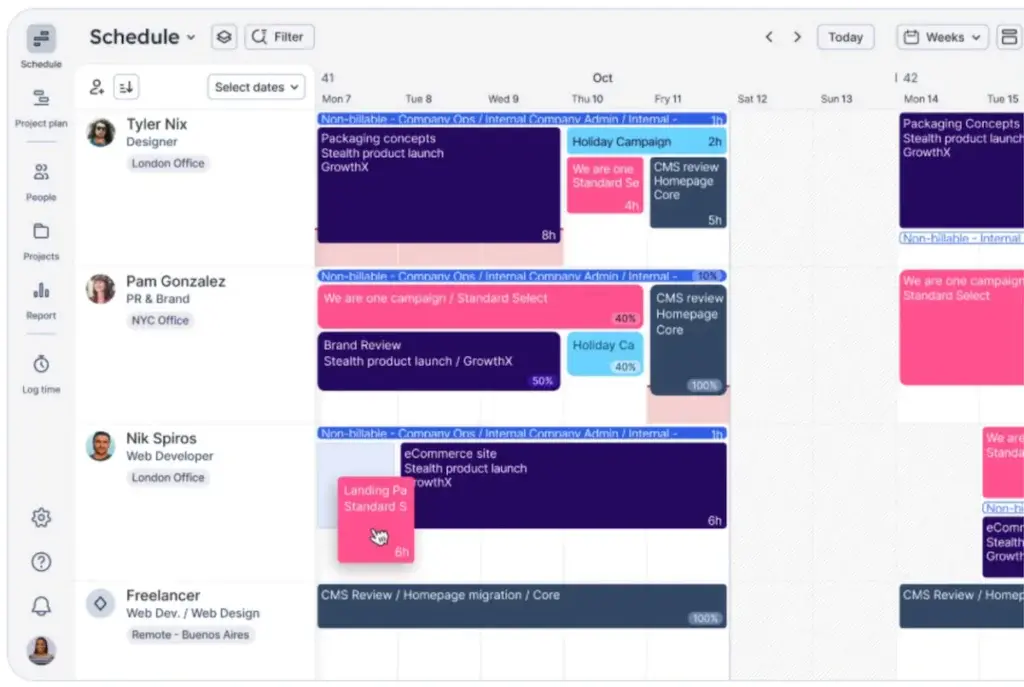
Float is a resource planning tool focused on scheduling people across work. You assign work by allocating time to individuals and adjusting schedules as priorities change.
The center of Float’s interface is a visual timeline. You can see who is working on what and when, and schedule work by dragging bars across the timeline.
Planning in Float typically starts from the people and their availability, rather than from project level. This makes it an interesting tool for day-to-day planning in a wide variety of fields – IT operations, inhouse marketing teams, PMOs and others.
Float is typically used for the following purposes:
See who is working on what: Get a clear view of team schedules, assignments, and availability across projects.
Plan and adjust workloads: Allocate people to projects and easily update schedules as priorities change.
Manage availability and utilization: Plan around time off and capacity, and monitor allocation to identify gaps or overbooking.
Measure financial goals: Monitor billable time, costs, and revenue to keep projects on track financially.
Key features of Float
Some of the main features of Float are:
Task Scheduling: Plan work by dragging assignments across a timeline to see who is working on what.
Availability Management: Account for time off, holidays, and working hours when planning schedules.
Profitability Tracking: Track billable time, costs, and revenue to understand project performance.
Integrations: Connect with other tools like time tracking systems or project management apps.
Pros of Float
Ease of Use: Quick to set up and no long training needed. Well-done user interface.
Flexibility: Its flexible, people-based approach makes it useful across a wide range of teams and industries.
Solid Capacity Planning: Gives you a realistic picture of availability by factoring in time off and individual working hours.
Client & Profitability Focus: Built-in tracking is great for ensuring projects stay within budget and maintain healthy margins.
Cons of Float
Despite its popularity, Float presents some challenges.
Complexity: Float comes with a lot of features, which may be more than you need if you just want high-level planning and availability tracking.
Limited workload visibility: While workload is visible in Float, there is no dedicated view for future availability, so users may need to rely on report customization.
Interface Density: The timeline view shows a lot of information, which can make it harder to get a quick high-level overview.
What is Teamwork?
Teamwork is a project management suite with resource planning capabilities.
In Teamwork you start planning from a project and task level, rather than from people and their availability. Work is defined first, and then you assign it to the contributing team members.
This makes Teamwork a better fit for teams that work in structured project environments, where tasks and milestones need to be managed while keeping an eye on workload and availability.
Compared to Float, which focuses on allocating time to people, Teamwork is more focused on organizing and delivering work in a defined project cycle.
Key features of Teamwork
Project Management: Map your entire delivery cycle inside the tool, and use workflows and automations to simplify collaboration and tracking.
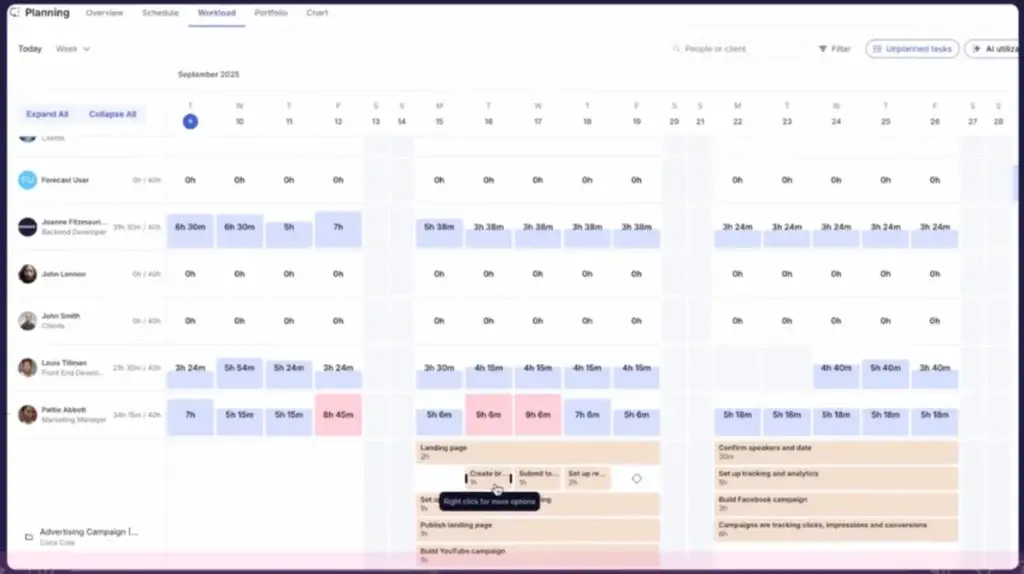
Powerful Resource Management: You can plan work and track availability and utilization in real time.
Forecasting: With the included views, you can forecast workload and availability by person months out.
Pros of Teamwork
Full Project Management: You can manage your entire project in one place, from tasks and timelines to delivery and tracking.
Tasks and Resources Together: Schedule work through tasks and assign people directly, so everything stays connected.
Structured Workflows: You get clear structure for planning and delivering projects, which helps when work becomes more complex or the team grows in size.
Collaboration: Use comments, files, and updates to keep everyone aligned and working together.
Which tool should you choose?
Float and Teamwork overlap in some areas, but they are built for different ways of working.
The right choice depends less on features. It’s more on how you plan and and at what level of detail.
Choose Float if you:
want a simple way to schedule people
mainly plan work by assigning time to individuals
need to adjust plans quickly as things change
don’t need full project management
Float works well when your focus is on who is working on what, and you want to keep planning lightweight and flexible.
Choose Teamwork if you:
need to manage projects, tasks, and delivery in one system
want structure around workflows, milestones, and collaboration
plan work starting from tasks and project plans
are comfortable with a bit more setup and structure
Teamwork works better when your focus is on tracking project work in detail, not just assigning people.
Caperity: A Simple Alternative for High-Level Workload Planning
Many teams just want a simple way to track availability and visualize timelines on a high level.
Adrian Neumeyer has spent over a decade in project delivery, leading high-stakes strategic IT initiatives for major global engineering firms like Bosch and HILTI. He is also the Founder of Caperity, focused on giving managers a simple, practical solution for project capacity planning.