Stay in control of your workload and see the full picture at a glance — without unnecessary complexity.
Project-centric planning
Caperity is designed for teams who work project-based:
Add people to projects and schedule hours
Create dummy projects to account for BAU/meetings
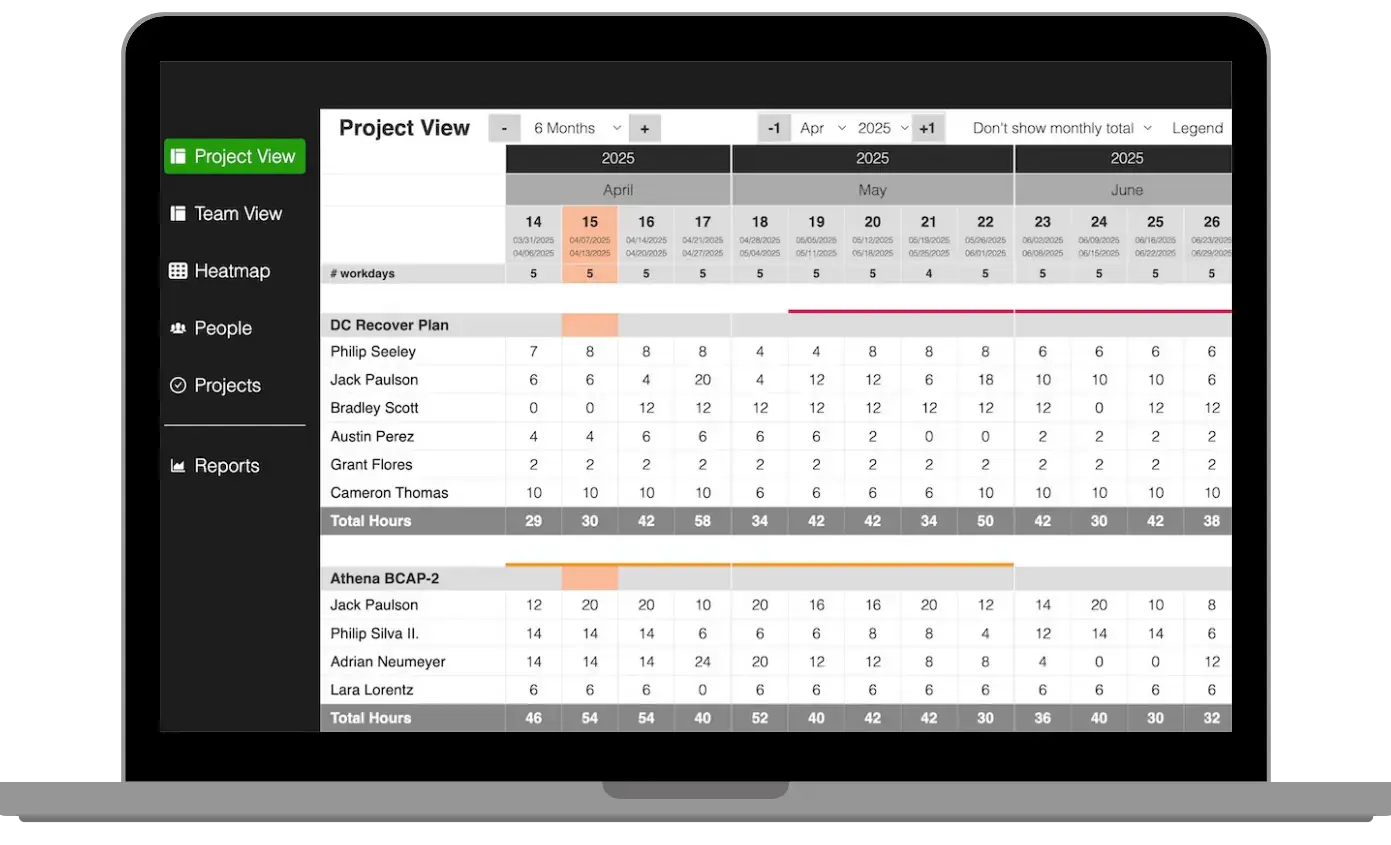
See totals, workload and availability at one glance
Daily and weekly planning
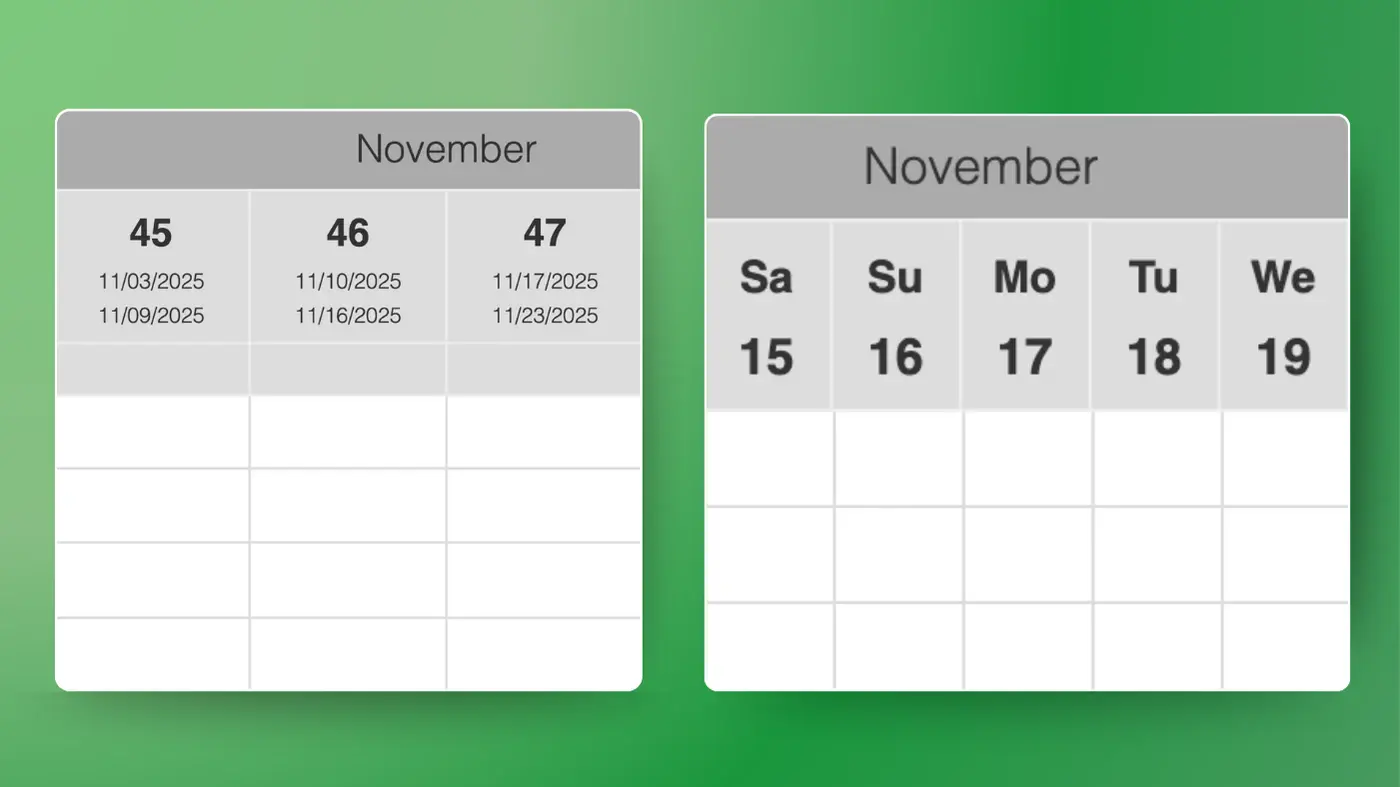
Choose the level of granularity that fits best for you:
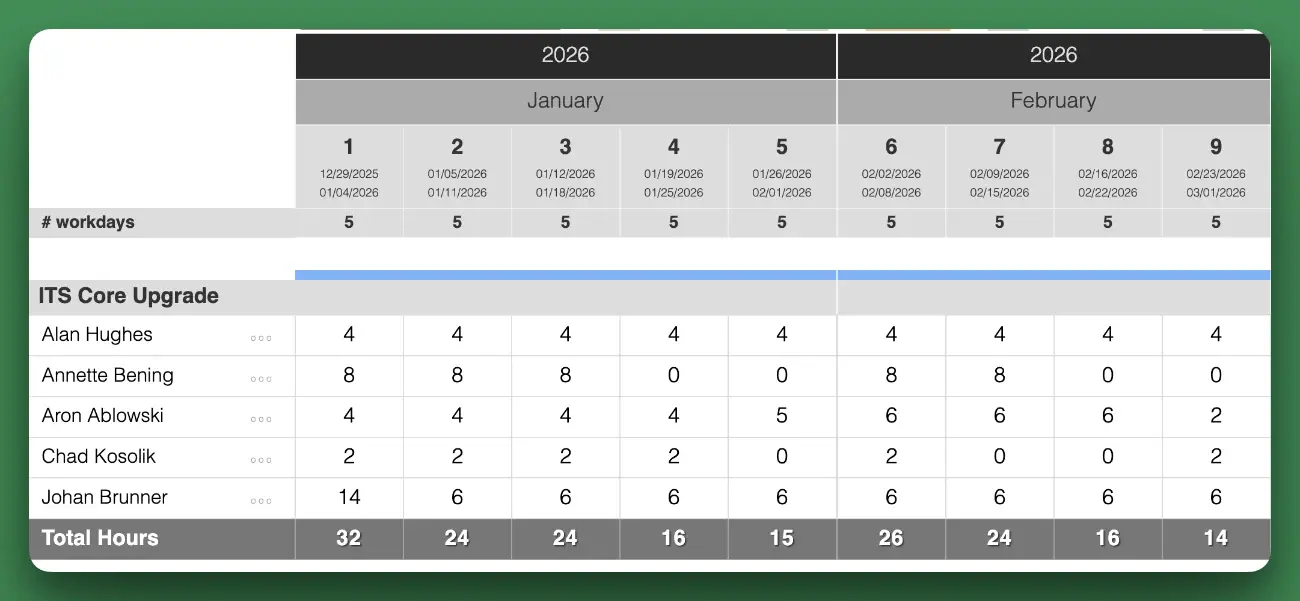
Daily planning in hours per day
Weekly planning in hours per week
The granularity level is chosen during setup and applies across all projects.
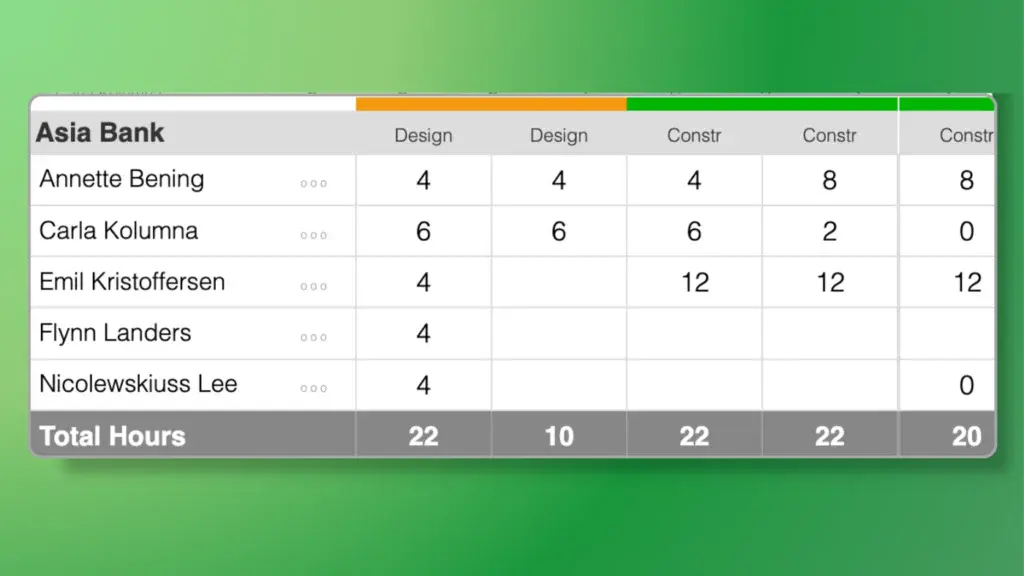
Project View: Active Projects
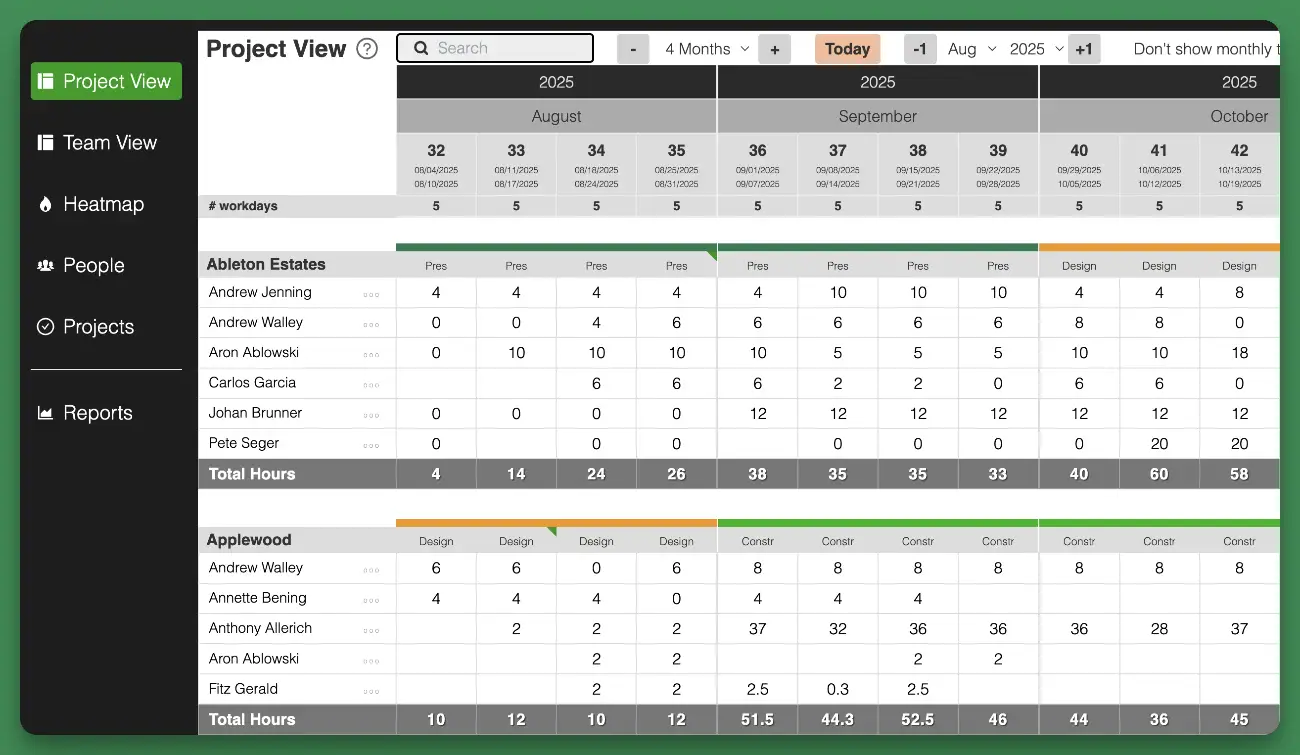
Project View shows all projects and the assigned team members.
Schedule work by typing hours into the grid
See totals by day/week or month.
Add milestones or visualize project phases
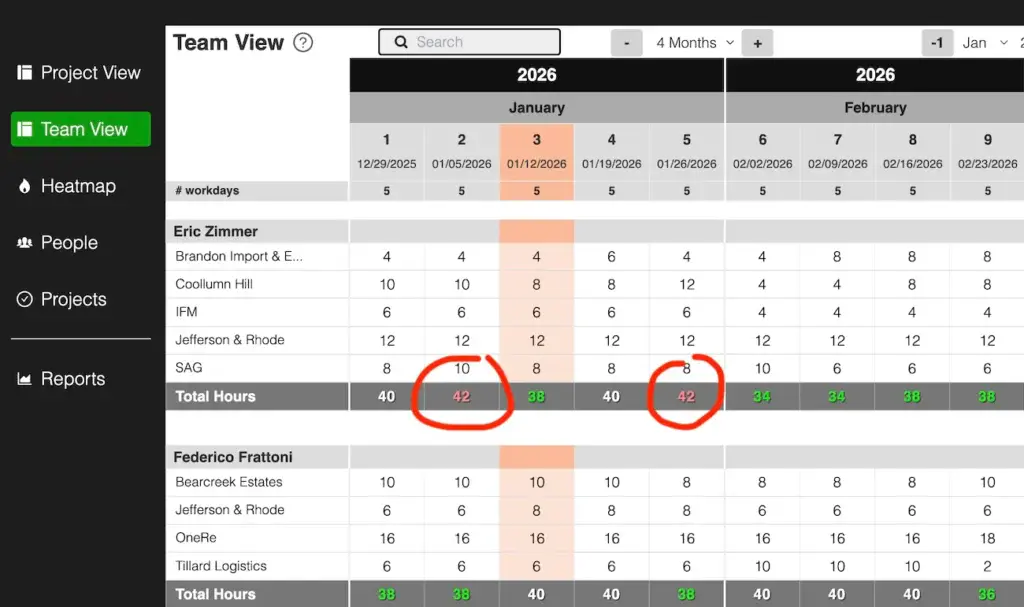
Team View: Hours by person
View all team members with their project and assigned hours:
See total hours (per week or day)
Over- or underallocation immediately visible
Over/underallocation is determined based on each team member’s individual working hours, which can be set in the app.
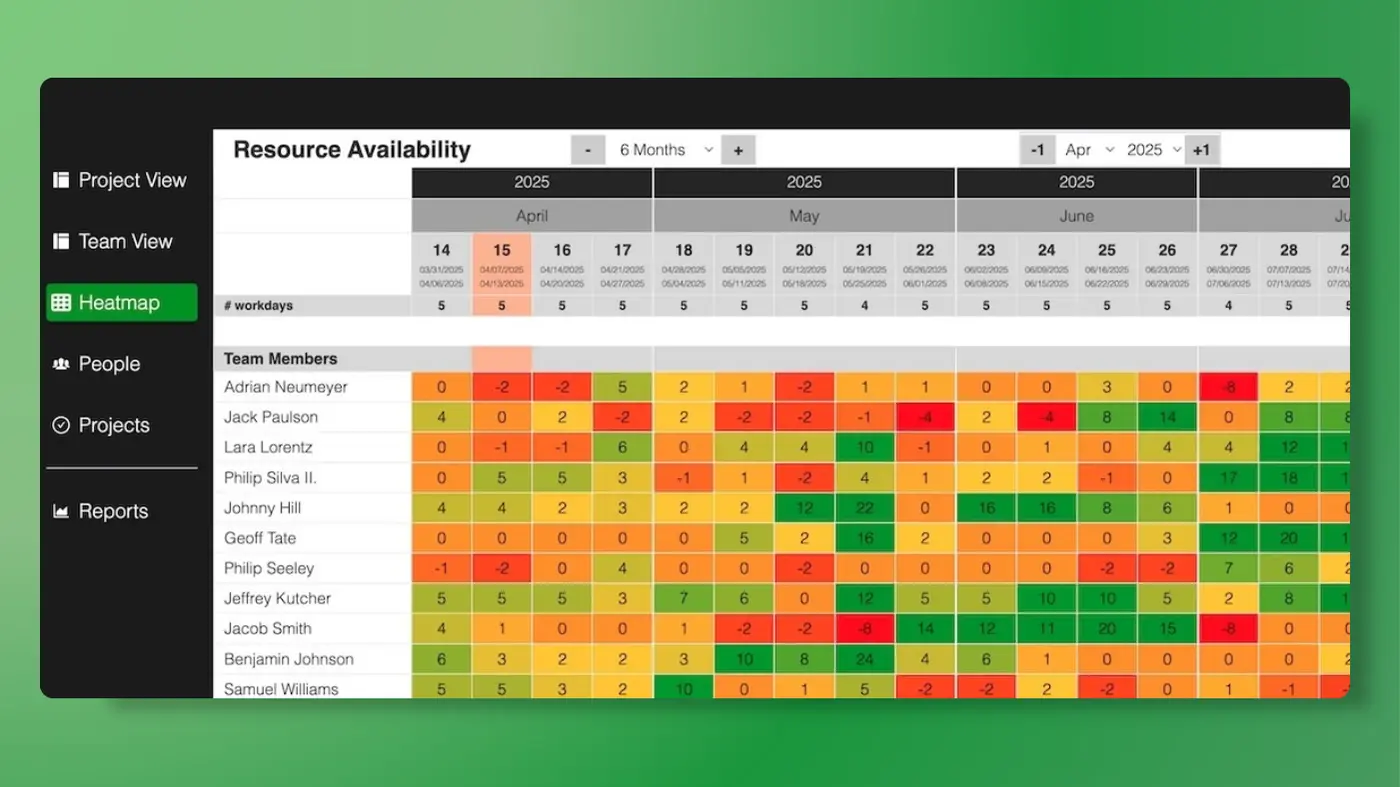
Resource Availability Heatmap
See a quick snapshot of future availability:
Spot bottlenecks early and take suitable actions to keep delivery on track
Color-coding indicates workload per person
Based on each person’s standard working hours, with holidays and time off factored in
Numbers show available (or unassigned) hours
Project visualization
Caperity comes with project visualization features built in:
Show project phases in the planning views
Show key milestones
Each phase can be assigned its own color, making it easier to see when phases start and end
Time-off and holiday tracking
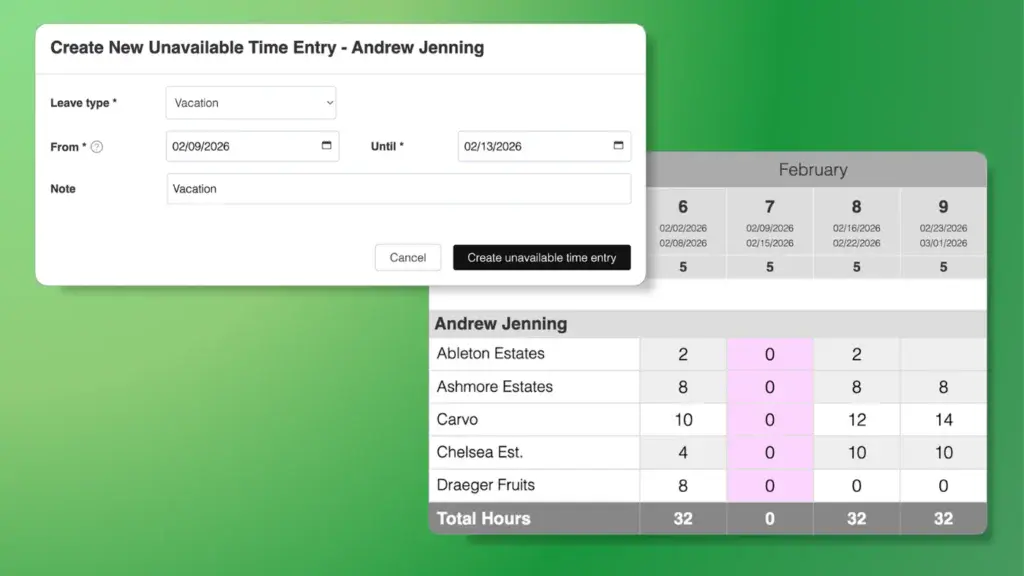
Holidays and time off are being factored in, giving you a complete picture of availability:
Add holidays or closing days
Track unavailable time (vacation etc.) inside the app and people’s hours will be reduced for that time period.
Planning views will show you when a person is unavailable — no more surprises!
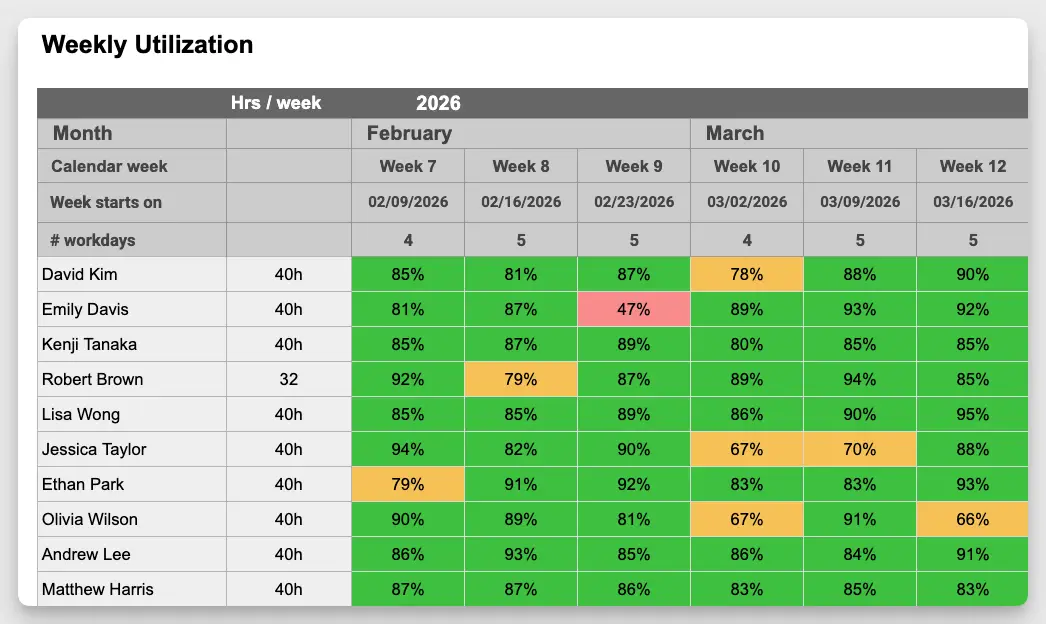
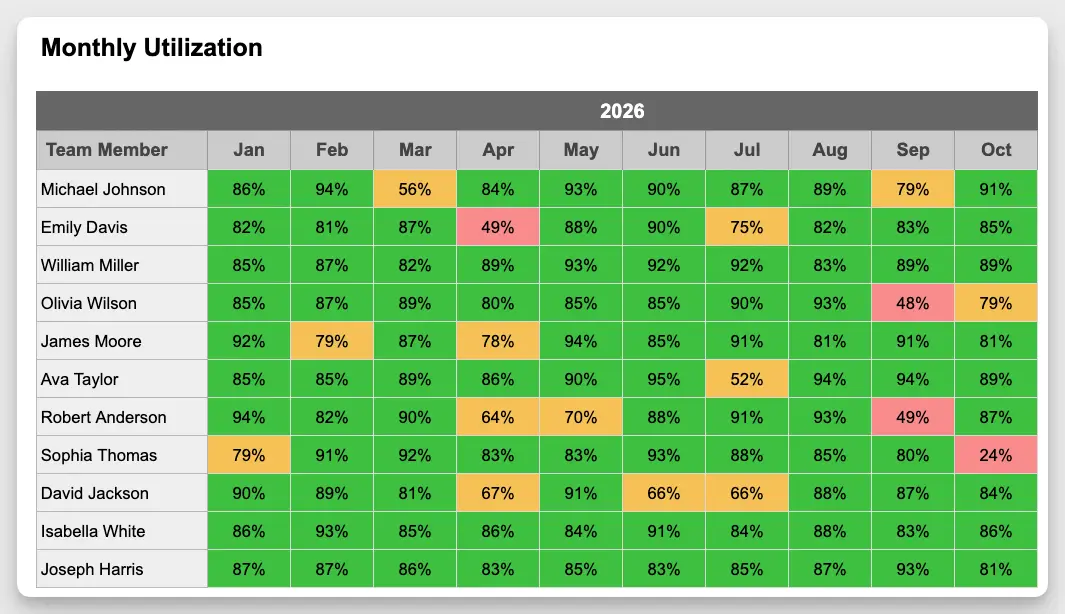
Team Utilization Report
Achieve utilization and billability targets through better reporting:
Check utilization per team member
Weekly and monthly report available
Customize the report by setting custom thresholds and colors —for example: 80%+ utilization as green, and below 50% as red etc.
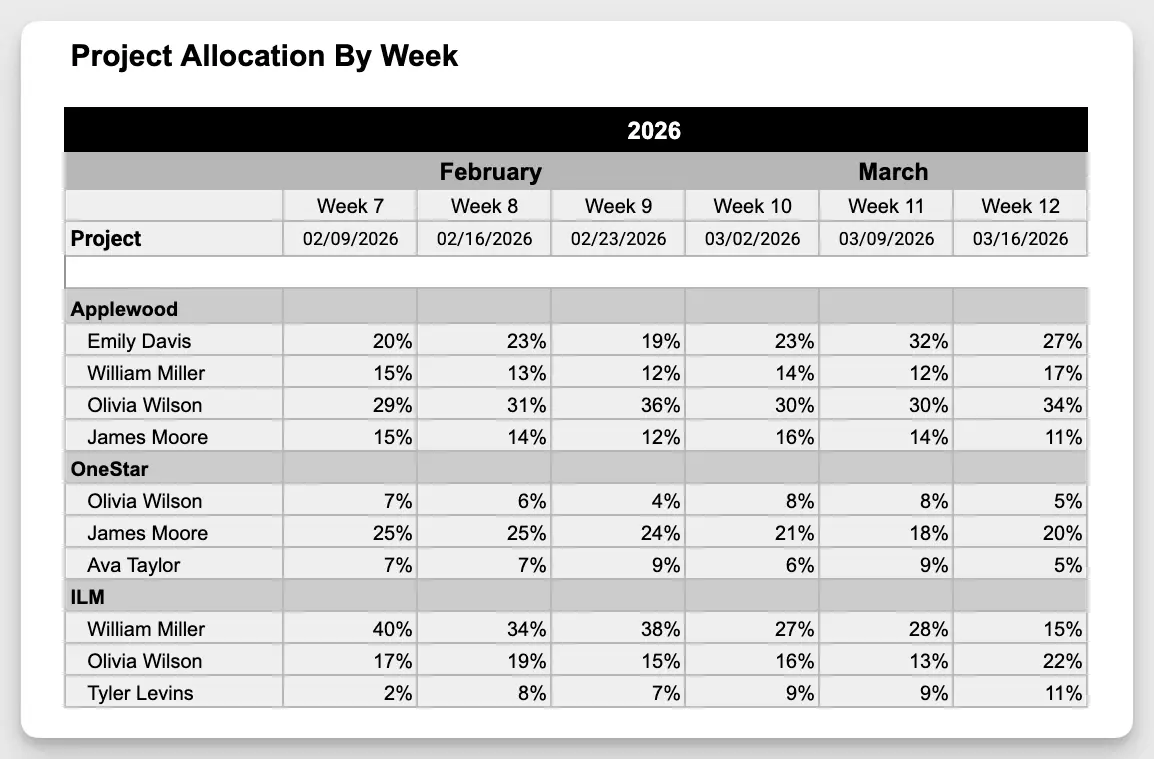
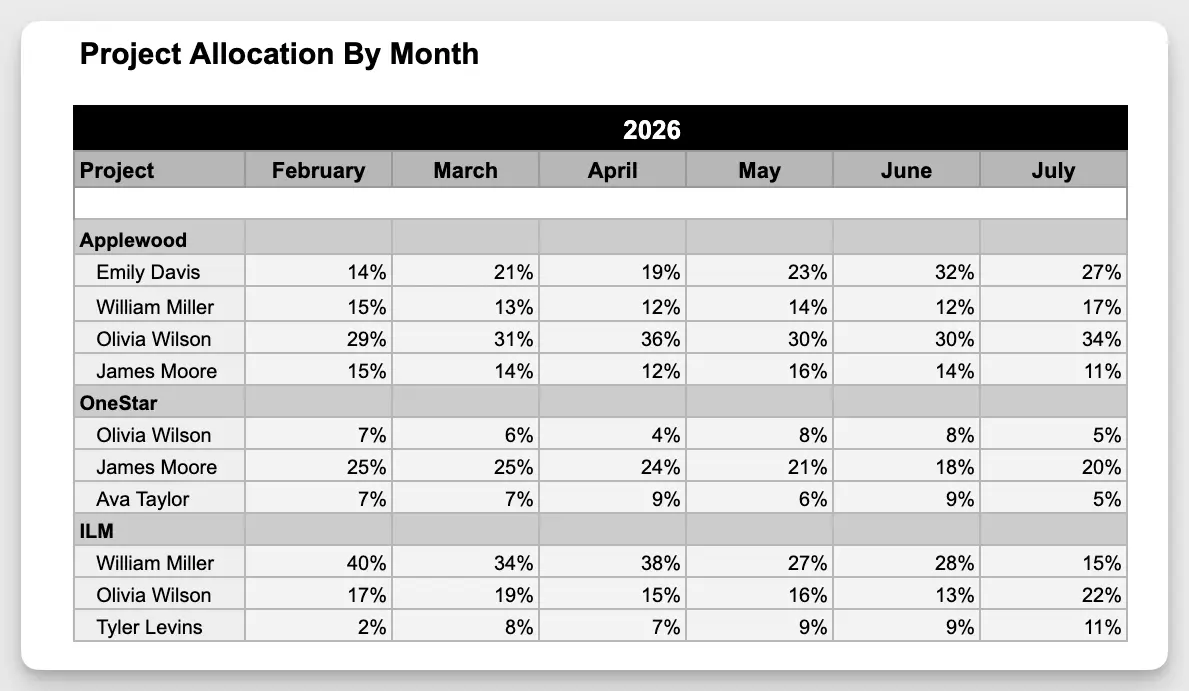
Project Allocation Report
See how team members are allocated across projects, and quickly spot unusual deviations:
Shows allocation by person and project — expressed as a percentage of individual capacity
See which projects absorb the biggest share of team capacity
Spot suspicious fluctuations in capacity — caused by scope changes, delays or unexpected issues
Import and export of data
Easily move data between Caperity and Excel or other apps:
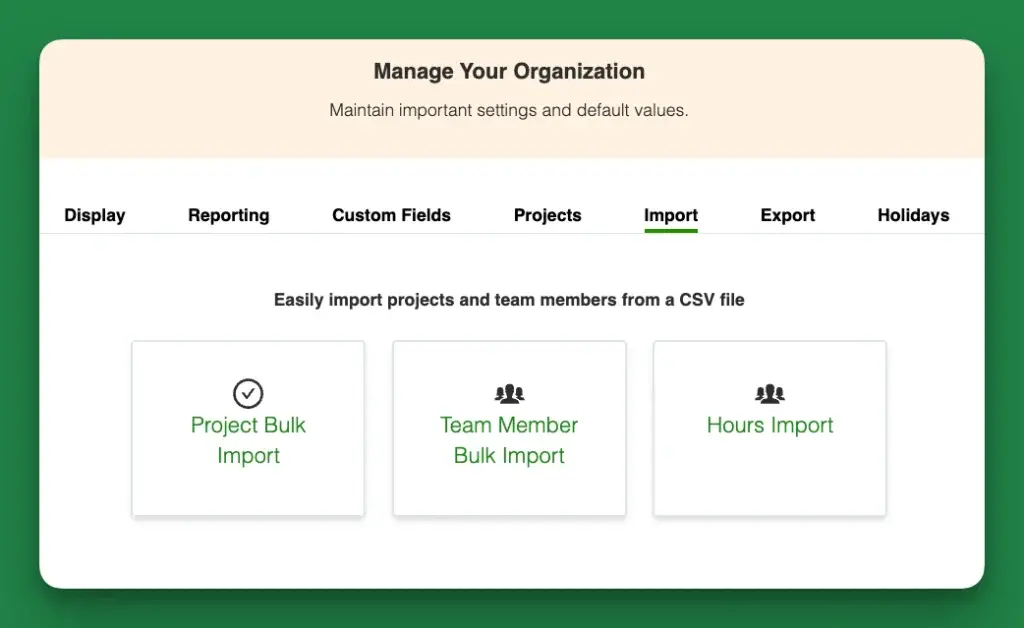
Upload projects and team members
Import hours from a spreasheet or time-tracking app
Export planned hours with one click
Manage team access
Caperity is built for teamwork and comes with simple, effective access control:
Invite team members
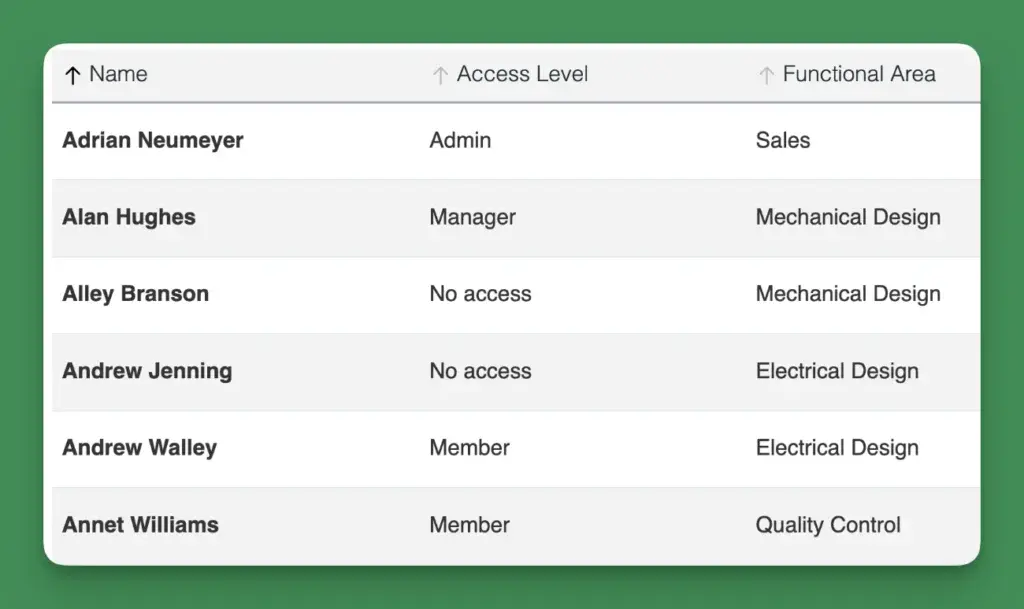
Control what each person can do
The Member level enables team members to update their own hours.
The Manager level lets users to manage hours for their team.
Runs in the cloud
Caperity runs in the cloud and can be accessed from anwhere:
Easy access via your browser
No software installation
Secure data storage in the European Union on professional cloud infrastructure
Security features
Caperity supports Two-Factor Authentication and requires strong passwords.
On the backend, protected APIs, encryption and strict authorization controls safeguard your data. The application runs on trusted, world-class cloud infrastructure with data stored on EU-based servers.